03.
GOOGLE GEMINICUT /
AN ADAPTIVE, DIRECT-MANIPULATION UI FOR AI VIDEO EDITING IN GEMINI.
ROLE /
UX DESIGNER & RESEARCHER
TIMELINE /
2 MOS
PROJECT TYPE /
AI-NATIVE VIDEO EDITING TOOL
TOOLS & SKILLS /
FIGMA, USER RESEARCH, AI-ASSISTED WORKFLOWS, FIGMA MAKE
TEAM /
5 UX DESIGNERS AND RESEARCHERS
Bridging the gulf between human intent and generative video through direct manipulation.
As generative video models scale, editing outputs remains fundamentally broken as users are trapped in loops of continuous re-prompting and full regenerations. This causes non-local edits, where tweaking one small detail undos the entire scene, wasting user time and cognitive energy. Novices are left between high-barrier professional tools, like Adobe Firefly, or text-only chat boxes with zero spatial control.
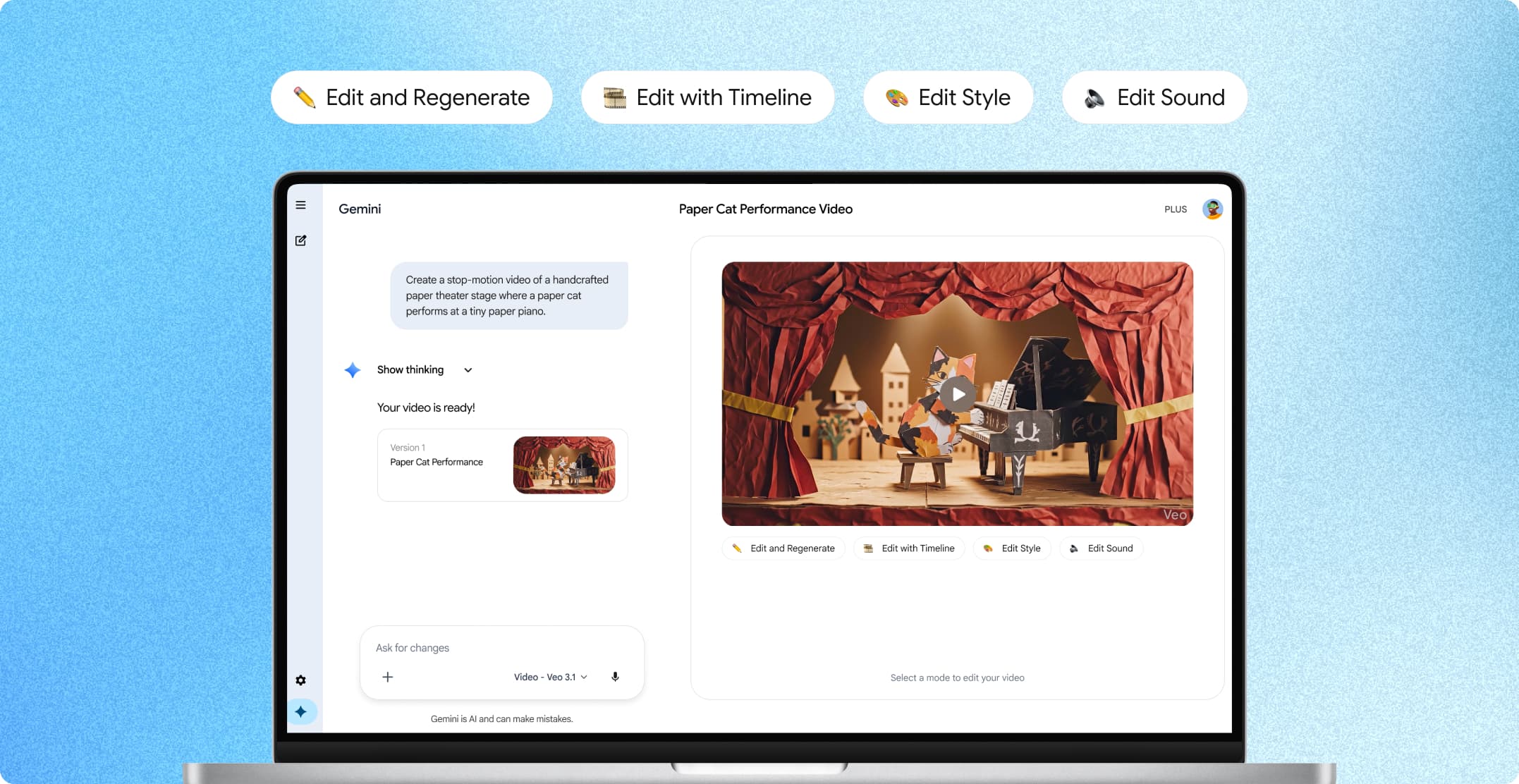
Over 3 months, our team of 5 designers and researchers built an adaptive video editing interface embedded natively inside Google Gemini. Grounded in cognitive science principles and the synthesis of over 20 human-computer interaction research papers, our prototype introduces direct-manipulation primitives directly into the chat flow.
OUR APPROACH
01
How might we bridge the gulf of execution in generative video editing by embedding direct-manipulation primitives natively within an LLM interface?
Our group first chose to examine the disconnect between a creator’s mental model and an LLM’s underlying mechanics through rigorous research of existing tools and academic sources.
HCI Literature & Academic Synthesis
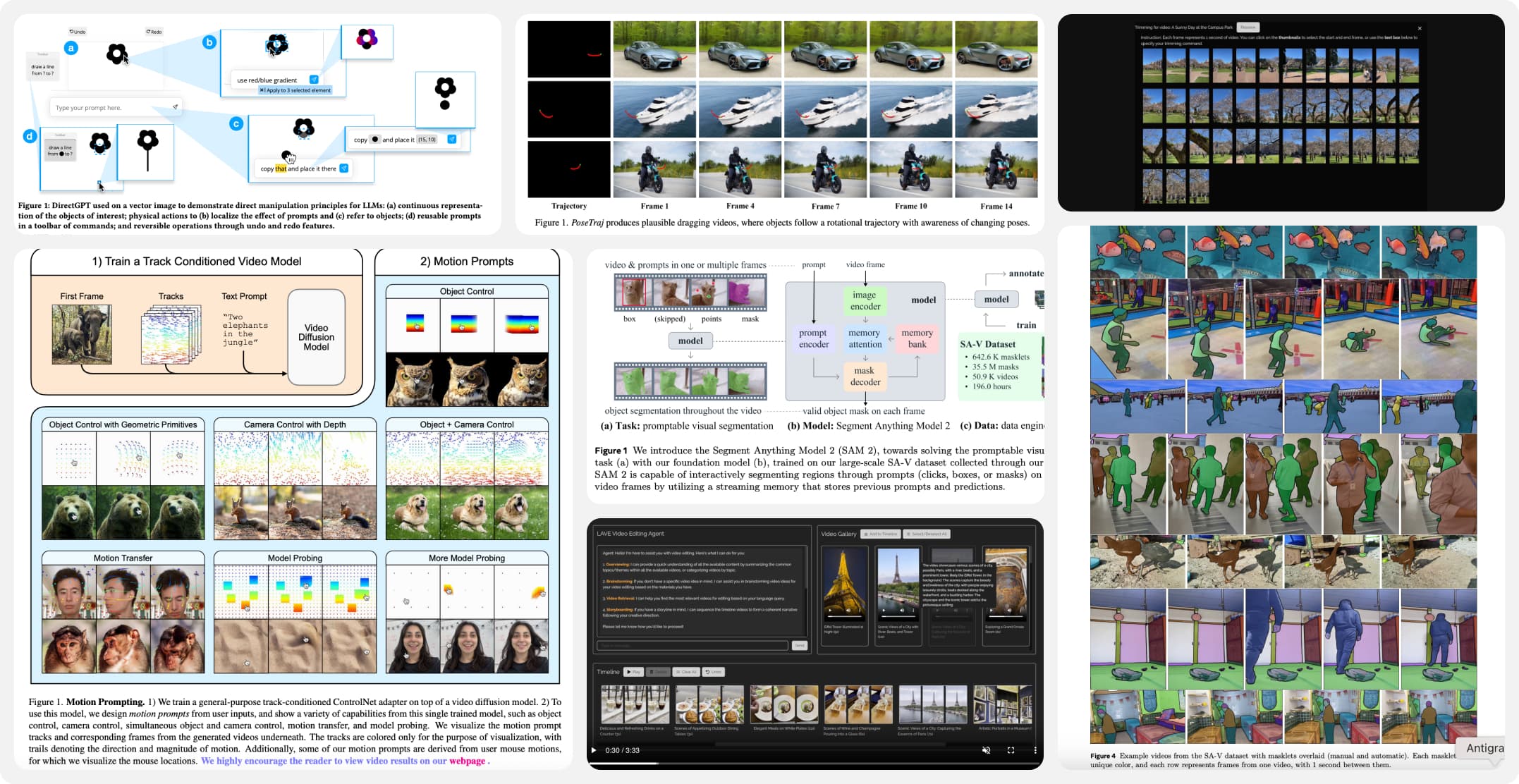
We analyzed 20+ foundational and cutting-edge sources covering Direct Manipulation (Hutchins & Norman), dynamic media representation (Bret Victor), and generative interaction tools (SAM-2, Runway Motion Brush, ExpressEdit). We found that while natural language excels at high-level semantic direction, spatial and temporal edits were more successful when given continuous, visual references.
Heuristic Audits
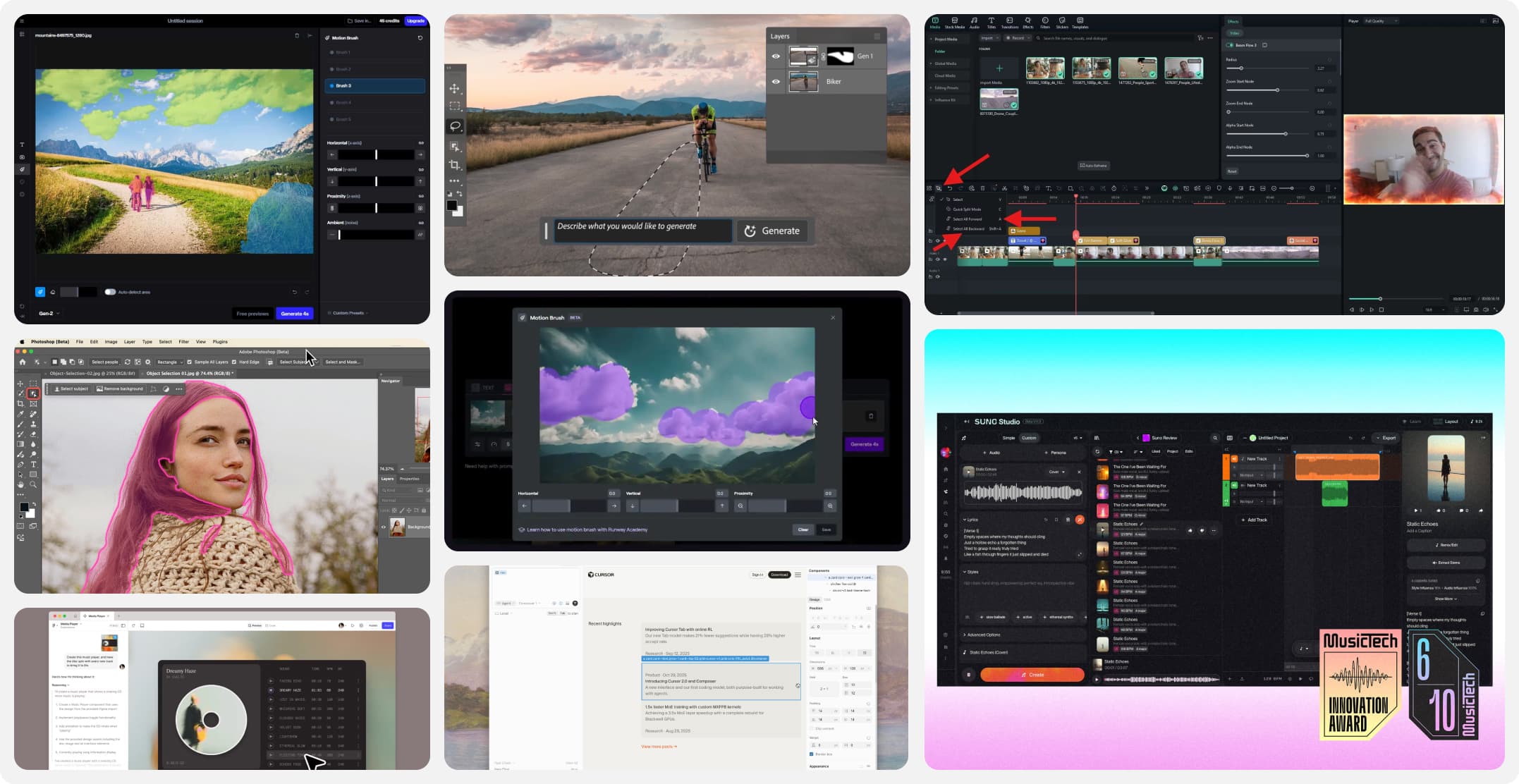
To determine the direction of our solution, we conducted heuristic evaluations comparing standalone video models with professional creative suites. We found that generative chatbots often violated Visibility of System Status, given users have no insight into what the model kept or altered. On the other hand, non-linear editing (NLE) tools violated expectations for Match Between System and Real World, overwhelming novice users with keyframes, tracks, and technical jargon.
DESIGN DECISIONS
02
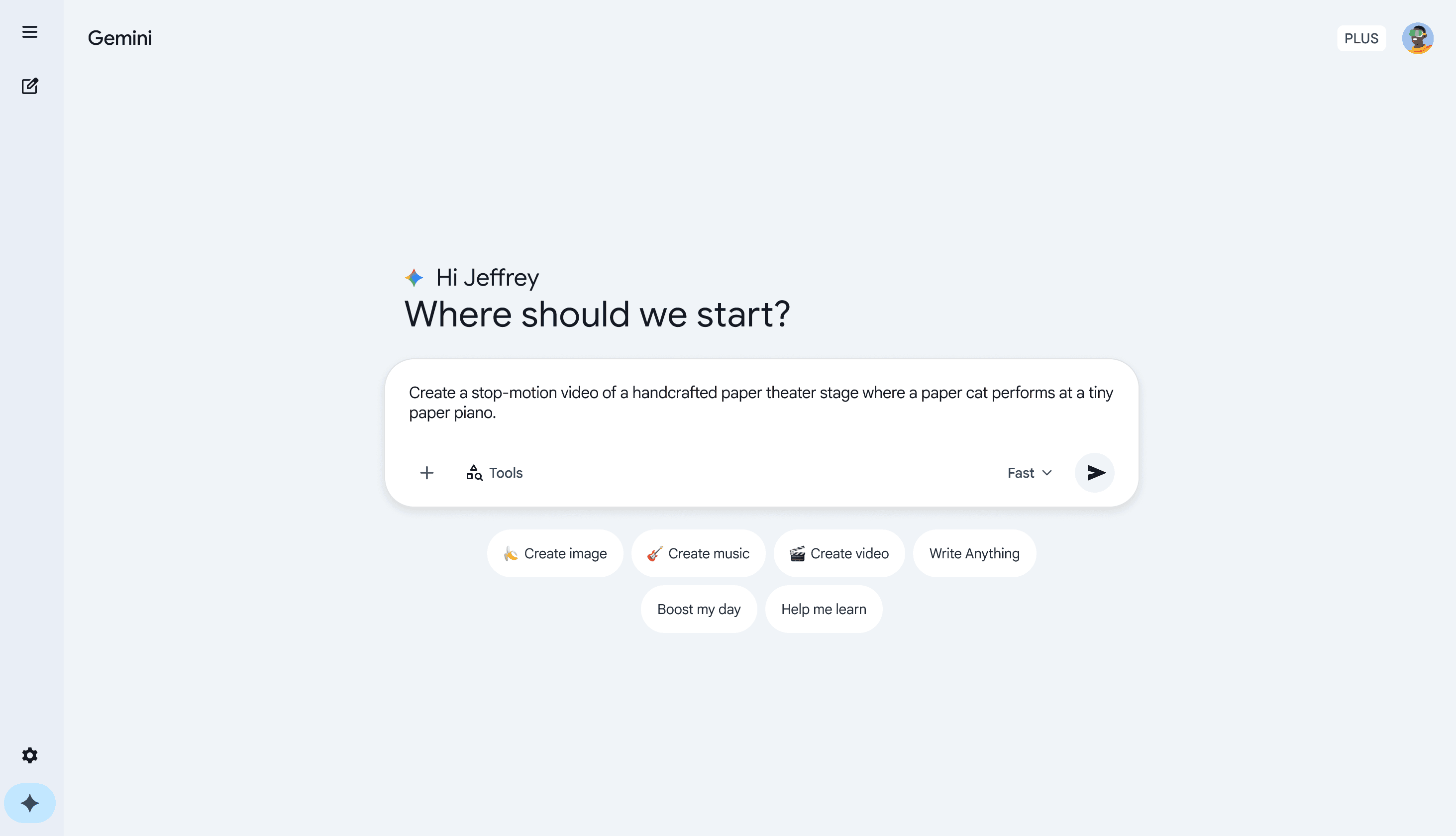
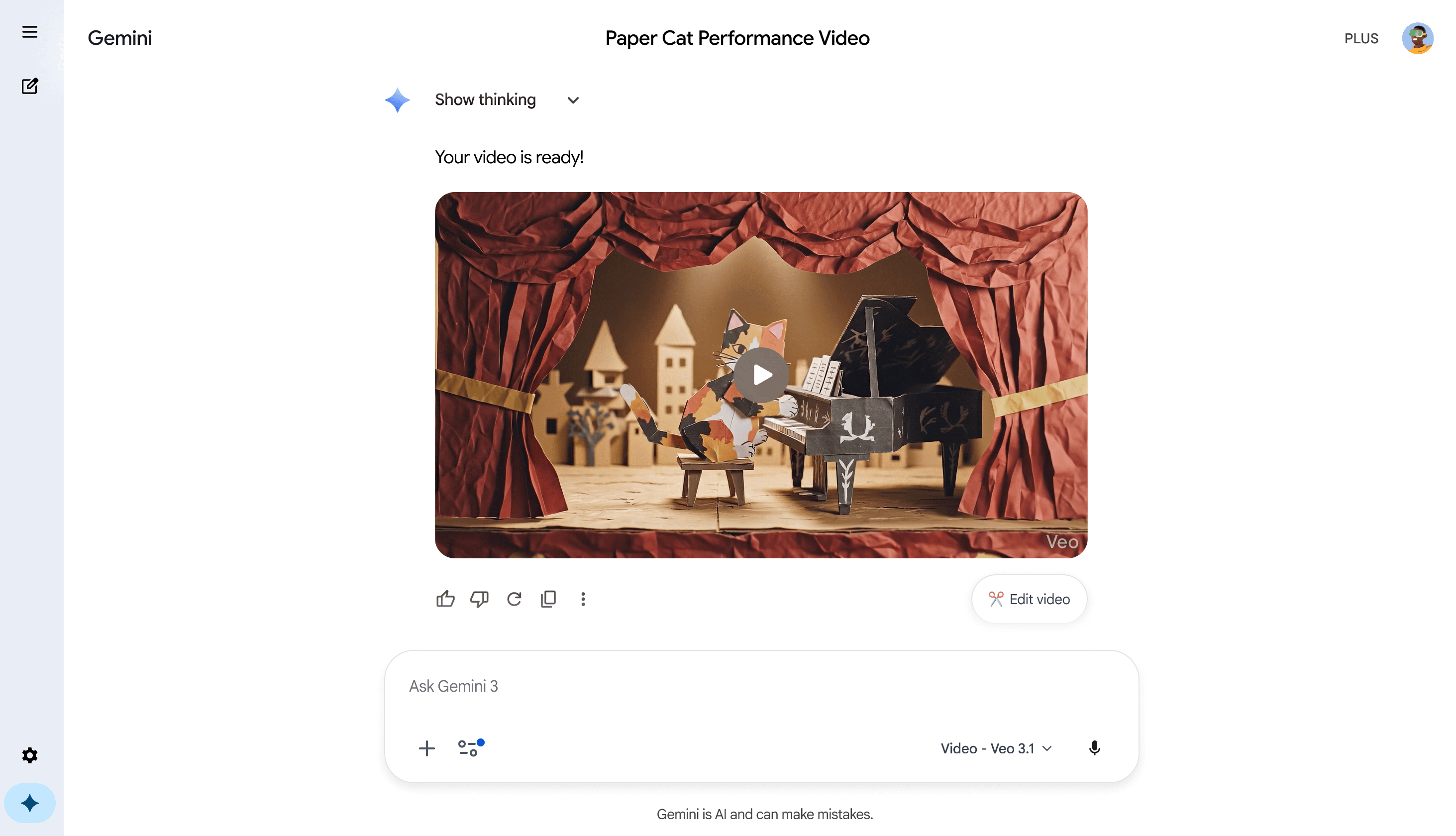
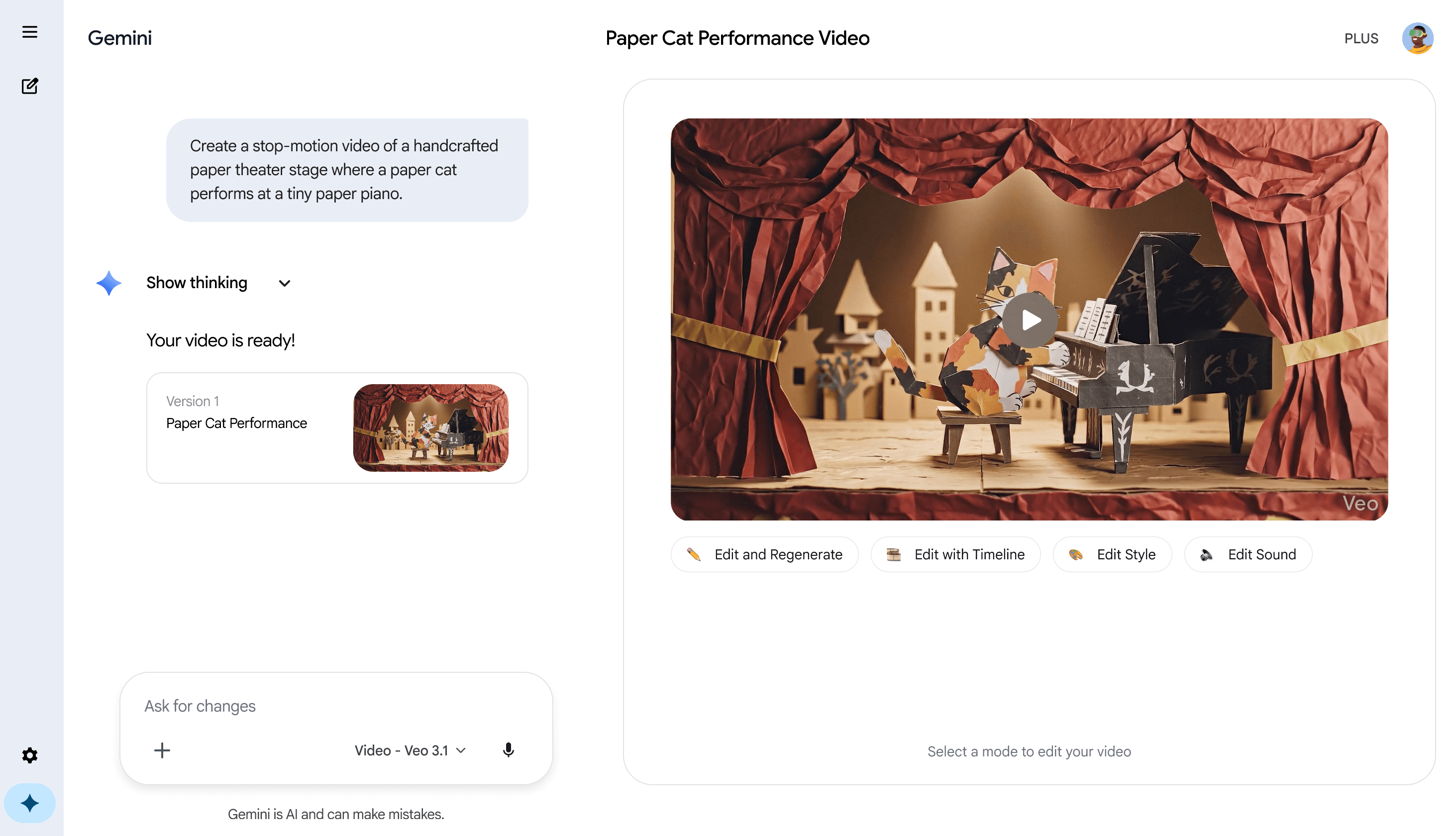
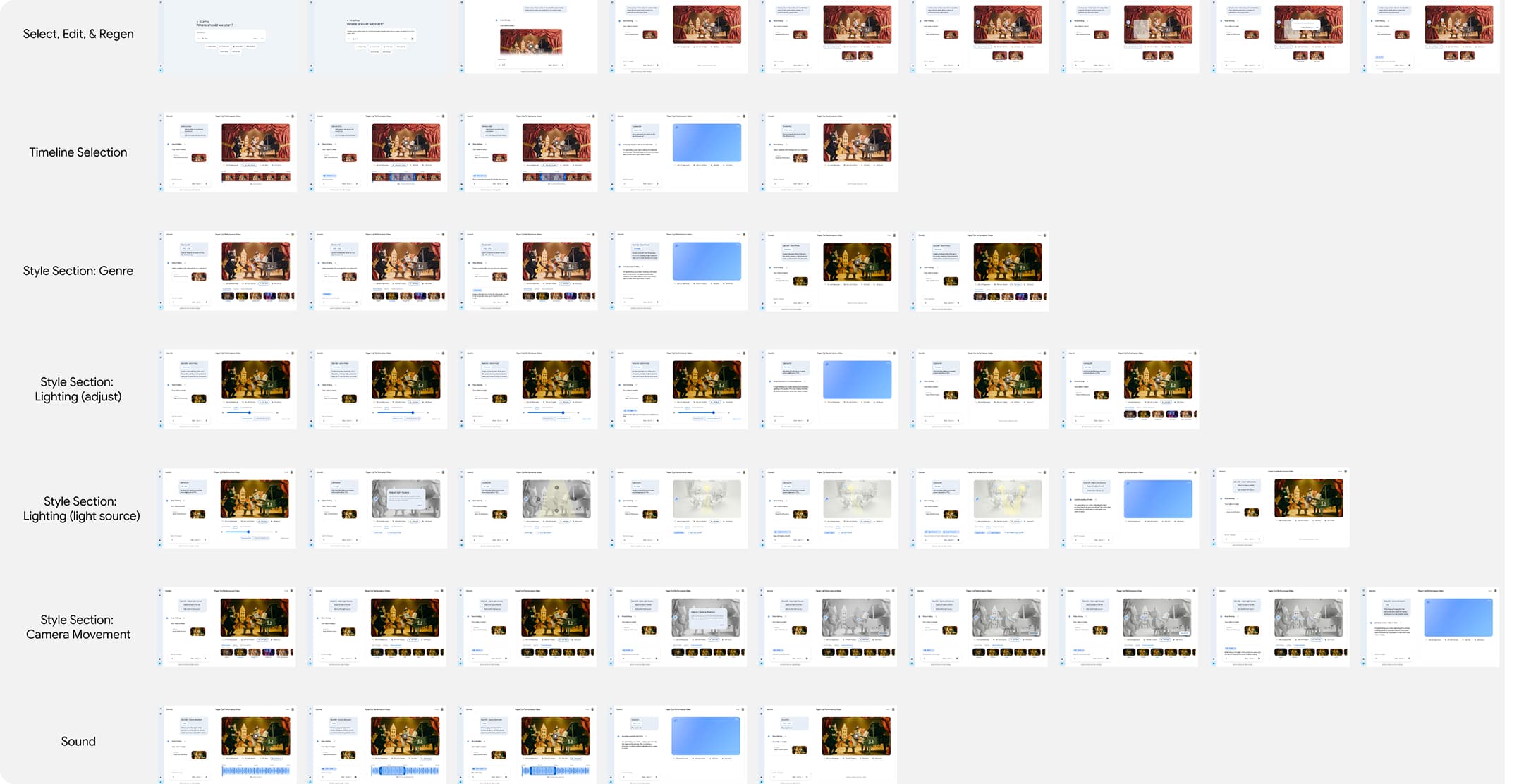
We grounded our wireframes and prototypes in direct-manipulation principles, validating each state using cognitive walkthroughs to ensure novice creators felt completely in control. To eliminate the high cognitive load of context-switching between external tools, we chose to implement four editing dimensions that lived natively inside the conversational UI. These dimensions were space, time, style, and audio. View the different modes in action below.
Spatial Precision: In-Frame Lasso
We introduced a contextual lasso tool that lets users point and isolate regions directly on the video frame. By limiting the prompt strictly to the selected area, the interface locally regenerates changes while keeping the rest of the canvas locked, protecting generated artifacts that users were already happy with.
OUTCOME & IMPACT
03
Foundational HCI research papers synthesized into actionable design criteria.
Contextual editing modes designed for granular spatial, temporal, visual, and audio refinement.
Commercial Showcase
To bring our research and interaction models to life, we produced a short commercial alongside our high-fidelity interactive prototype. Check out the video below to see how these four adaptive editing modes seamlessly embed into the Gemini chat experience.
REFLECTIONS
04
The high-fidelity interactive prototype models a human-centered path forward for generative AI, proving that conversational interfaces become substantially more usable when paired with direct-manipulation controls.
Further Refinements
Because GeminiCut was a course project, we were only able to spend two months researching, designing, and iterating before delivering the final prototype. Even though we are proud of what we created in that timespan, here are some areas of refinement we would target given more time.
Semantic selection lasso, instead of geometric.
Currently, our lasso selection tool is rectangular and has no object-snapping ability. For small or complex objects, this creates precision problems and may cause users to accidentally include regions they didn’t intend to edit. An intelligent lasso that detects and snaps to object boundaries would minimize likelihood of error.
Combining and compounding multi-parameter edits.
Right now, edits are scoped by type, but a more powerful interaction would allow users to chunk changes across multiple parameters, such as camera angle and lighting, into a single edit. This would require complex research and iteration but would be a valuable improvement.
The Team
Huge thank you to Jeff Antony, Allison Huang, Justin Kim, and Ivan Rim for being amazing teammates I could lean on and bounce ideas off of for this project. I learned so much from your creativity and the way you all think.